Your complete session design workflow is here: from first meeting to final report. Learn more

How to design impactful sessions with SessionLab

Learn how to create your next agenda in SessionLab and design
more engaging sessions with this step-by-step guide.

What is SessionLab?

SessionLab is the go-to platform for session design.

With an intuitive drag-and-drop agenda planner that calculates timing, SessionLab makes session design simple.

Add a brief, create professional printouts and collect feedback in one-place. Streamline your entire planning workflow and automate tedious tasks with AI assistance.

1. Add key session information in a brief

Start by adding a brief to your session. Add learning objectives, map out logistics, and create to-do lists that support your project with a flexible document that lives alongside your agenda.

When you’re ready, add a date/time, client information and tags to your agenda so it’s easy to find this session in the future.

At the top of your agenda, you can also see the total time duration of the session. This will automatically update whenever you make changes to your agenda, helping you make informed decisions on what to add or take away.

How session info helps you build an effective agenda

2. Quickly structure your session with blocks and AI

Every agenda you design in SessionLab is made out of blocks. 

Add new blocks by using the + button. Add block titles and fill in the description to quickly shape your agenda. 

Alternatively, get started by turning your brief or a file upload into a draft agenda with the AI assistant.

Drag and drop blocks to effortlessly rearrange your structure and find a flow that works for your session. 

How blocks and AI help you build an effective agenda

3. Set activity timings

One of SessionLab’s most useful features is automatic timing calculation. 

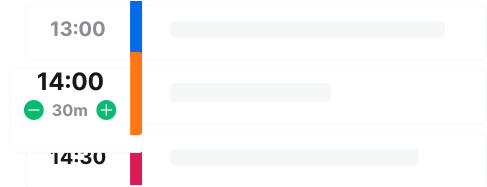
Adjust the timing of a specific block by hovering over the timing and entering the duration. 

SessionLab will automatically update your overall duration and keep your schedule in order. No more manual recalculations.

Adjust planner time

Time locks help give you even more control. Choose a specific time you’d like a block to start and SessionLab will tell you how much buffer time or overlap you have.

How automatic timing calculations help you build an effective agenda

4. Assign colour categories

A simple, visual overview of your agenda is helpful when trying to make sense of what you’re making and see the big picture. 

Assign colour categories to your blocks to get an instant picture of your activity mix. Set custom categories for your needs and to provide a breakdown that works for you. 

The visual additions are also helpful when working with clients and stakeholders, making it easier for everyone to follow the agenda flow and get aligned.

How colour categories help you build an effective agenda

5. Adjust your session flow

Adjusting your agenda in spreadsheets and documents is one of the most painful parts of the process.

Moving blocks and rearranging your agenda in SessionLab is easy. Drag and drop blocks with the grip icon to quickly make changes and try out alternative session flows.

Timing for your agenda will automatically recalculate whenever you make changes. No more guesswork or mental gymnastics.

How SessionLab makes agenda adjustments easy

6. Add attachments and supporting materials

SessionLab makes managing handouts, presentations and supporting materials easy. 

Rather than keeping everything buried in Google Drive, attach all your materials and attachments directly to the relevant block in SessionLab.

With all your materials in one place, everyone can find what they need and run the session with confidence. No more losing key information or wasting time tracking down materials.

How SessionLab helps you manage attachments and materials

7. Invite collaborators and stakeholders

With SessionLab, sending document versions back and forth is a thing of the past. Master your agenda  in one place where collaborators can easily co-create, edit or leave comments. 

Assign co-facilitators to specific blocks and leave notes and checklists so everyone stays organized and aligned.

Don’t want clients to get lost in the details? Share a simple online agenda or create a custom view with flexible columns.

Real time collaboration

How SessionLab makes collaboration easy

8. Export and share your session

Share your completed agenda with stakeholders and participants in a beautiful, easy-to-understand format.

Show your clients exactly how you’ll achieve their goals with a visual breakdown of your session.

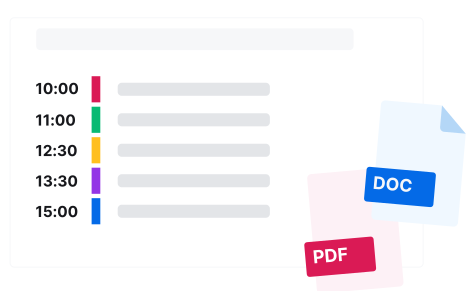
Export your agenda to Word, PDF, PPT and more. Customize your printout easily and generate professional materials without the hassle of manual design work. 

How SessionLab makes sharing your agenda easy

9. Support your session delivery

When you’re ready to run your session, your SessionLab agenda is your team’s source of truth.

Adjust your agenda timing and your entire facilitation team will see the changes. Assign collaborators to blocks so they know what activities they’re leading.

Support your process by using Time Tracker to Open on mobile for a simple, session overview and use Time Tracker to stay on schedule.

How SessionLab helps you facilitate effectively

10. Get feedback and improve

With Forms, it’s easy to consistently collect feedback alongside your agenda without too complex busywork or additional tools.

Instantly generate a feedback form based on your agenda with the AI assistant. Tweak your questions with the dynamic form builder and share a QR code or direct link with participants.

Export responses as a .CSV or ask AI to summarize key findings and suggest improvements to your agenda based on feedback.

How SessionLab helps you collect feedback and improve your practice

How a top agency
uses SessionLab

Thrive Impact is an agency whose mission is to solve leader burnout and enable NGOs to enact meaningful change.

See how their team of facilitators uses SessionLab to create impactful learning experiences and save time in their design process.

Excel is not a great tool for professional workshoppers. SessionLab is the agenda tool.
We use it every day.
Tucker Wannamaker headshot
Tucker Wannamaker
Facilitator & Inclusive Change Leader at Thrive Impact

Organizations all over the world use SessionLab

Design more effective sessions with ease

Drag, drop and reuse content. Calculate time automatically. Collaborate in real-time. Create your next session in minutes (not hours) with SessionLab.

Planner Hero